

🔴 TESSY Test System
Automated testing of embedded software
TESSY automates the whole unit test cycle including regression testing for your embedded software in C/C++ on different target systems. As an easy-to-install and easy to operate testing tool TESSY guides you through the unit test workflow from the project setup through the test design and execution to the result analysis and reporting. TESSY takes additionally care of the complete test organization as well as the test management, including requirements, coverage measurement, and traceability.
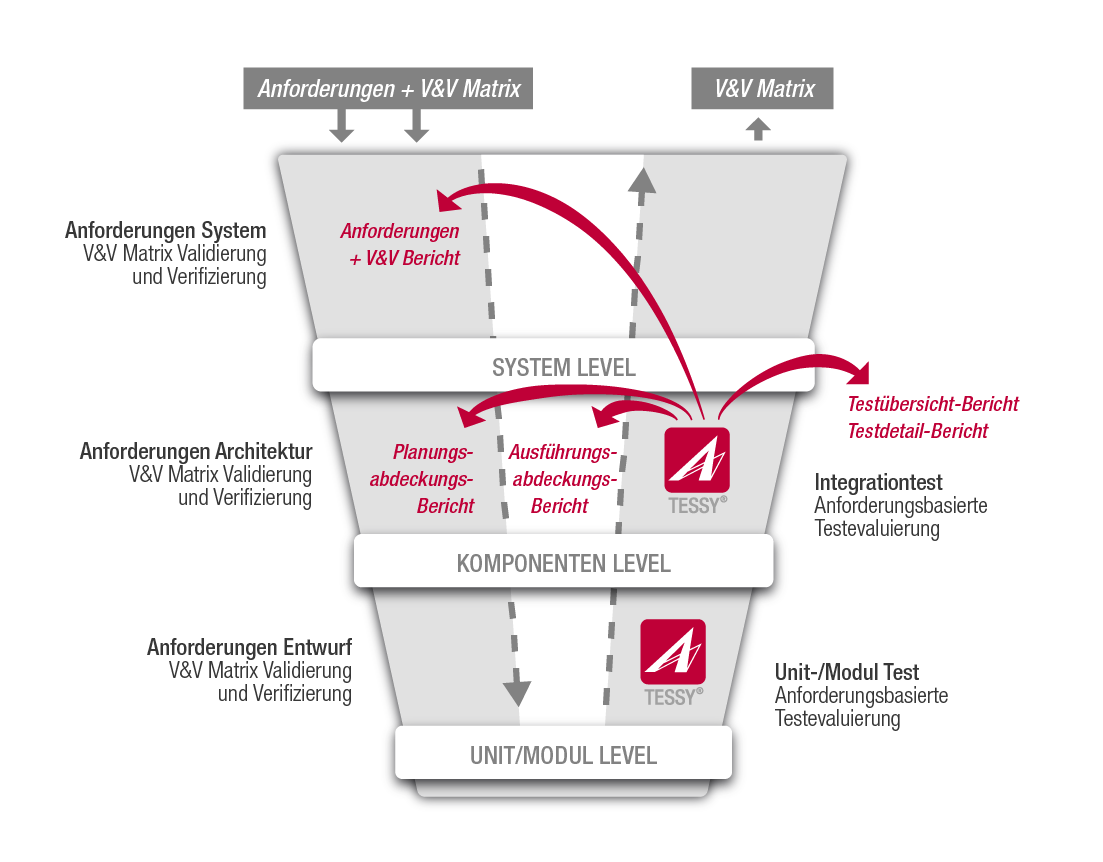
The following figure describes TESSY's core feature.
If you want to learn more about TESSY, please contact us.
Manage your test project
The TESSY test project management feature provides the possibilty to define an individual test project structure based on collections and folders, to define environment variables, and to configure your desired compiler/debugger with the help of the integrated Test Environment Editor. The coverage results are displayed directly within the project structure and the test results are stored within test runs which allows keeping former (successful) results for reporting while continuing to work on test cases and test data.
Define, link and trace requirements
TESSY provides a basic management of requirements in a document structure. Furthermore it is possible to import Requirements from Requirement Management Tools, e.g. from Polarion via a dedicated Plug-In, from DOORS, Jama connect and Visure via ReqlF, or as CSV, XML. Requirement and validation results may also be exported into XML and ReqlF format. Reference mechanisms from test cases back to the requirements allow easy coverage analysis and reports as well as impact analysis of requirements changes. Tests (in detail modules, test objects and test cases) may be linked to requirements within a convenient requirements coverage view.
Design test cases within the Classification Tree Editor (CTE)
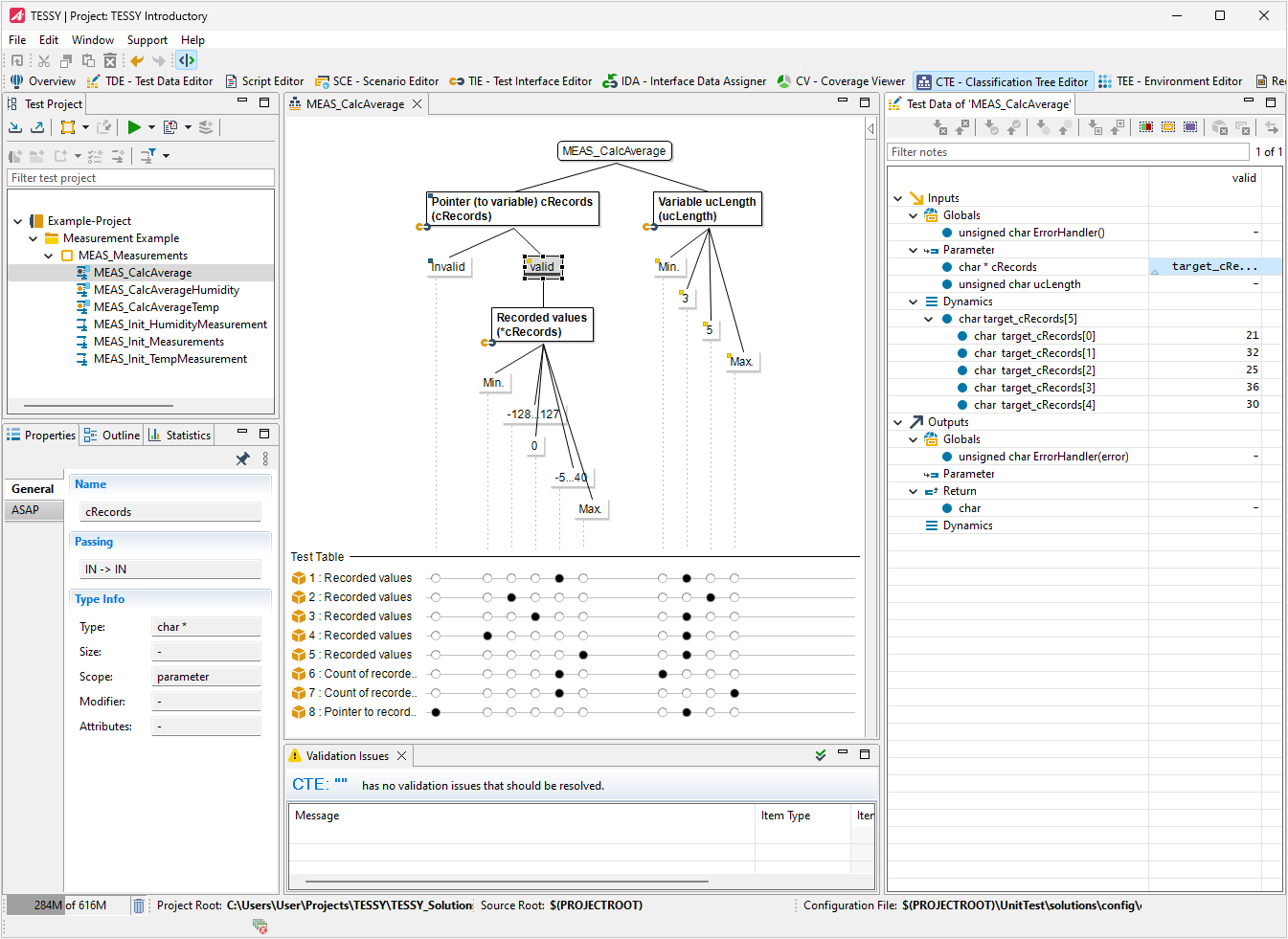
The Classification Tree Editor (CTE) is a graphical editor which provides a systematic and easy understandable way to create test cases in a graphical notation.
Based on the Classification Tree Method (CTM) the CTE is used to transform a (functional) specification into a set of error
sensitive and low redundant test case specifications. The CTE can be used in general, in all test phases, in all programming languages, for every application in the IT, from embedded over mobile to web applications.
Since the CTE is integrated in TESSY it is easy to set the values needed in the TESSY test process (e.g. input/output) directly within the CTE. A standalone installation of the CTE is also available.
Edit test data within the tabular Test Data Editor (TDE)
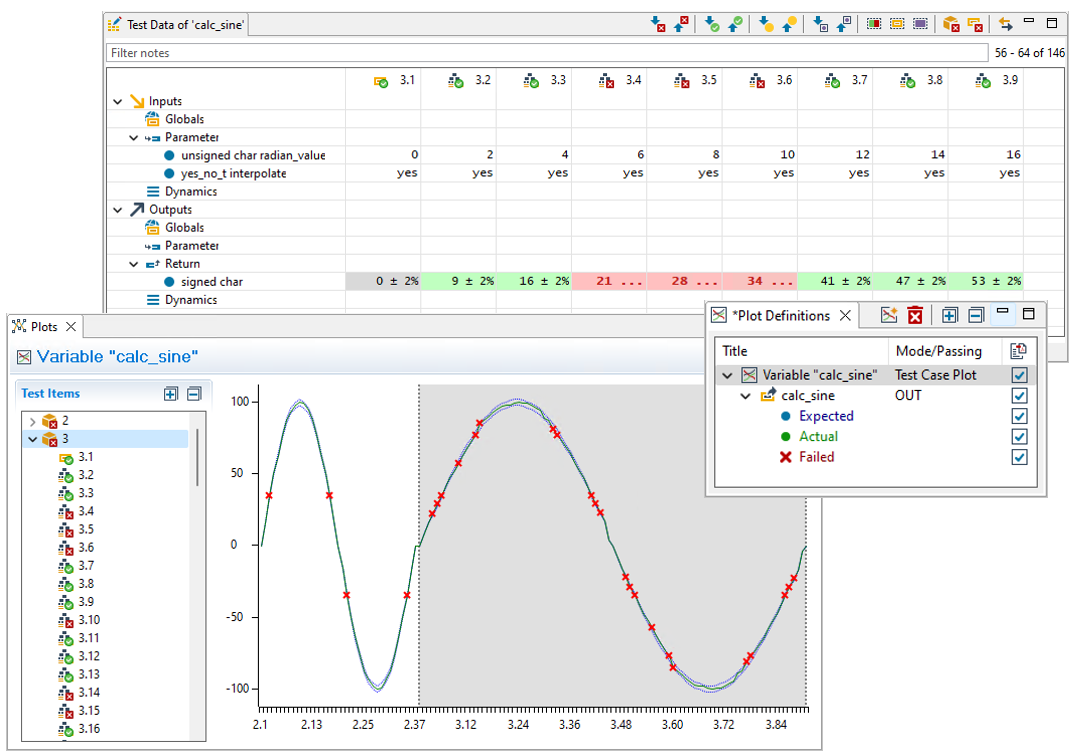
With the help of the Test Data Editor (TDE) the editing of test data is simplified. Additionally the test data are visualized within plots.
Add additional code
The Usercode editor is an integral part of the TDE perspective and provides flexible editing and outline views together with the tabular test data viewer, e.g. you have the possibility to read/write registers or add individual stub code.
Testing variants
With the fourth generation of TESSY it is now an easy task to test code variants. Hierarchical variant trees are created by derived modules. This allows an automatic testing of base and derived variants with selected test cases in a short period of time. For the tests, to indicate the relationship to a specific code variant, modules can be assigned to variants. Test cases within the derived variant modules can be added, deleted and individual test data values can be applied. Changes on the base variant can easily be synchronized down to the derived variant modules. The software variant management of TESSY V4.0 enables a product-specific code of a product series with different variations to be analyzed and tested individually in an efficient way.
Analyze the test results
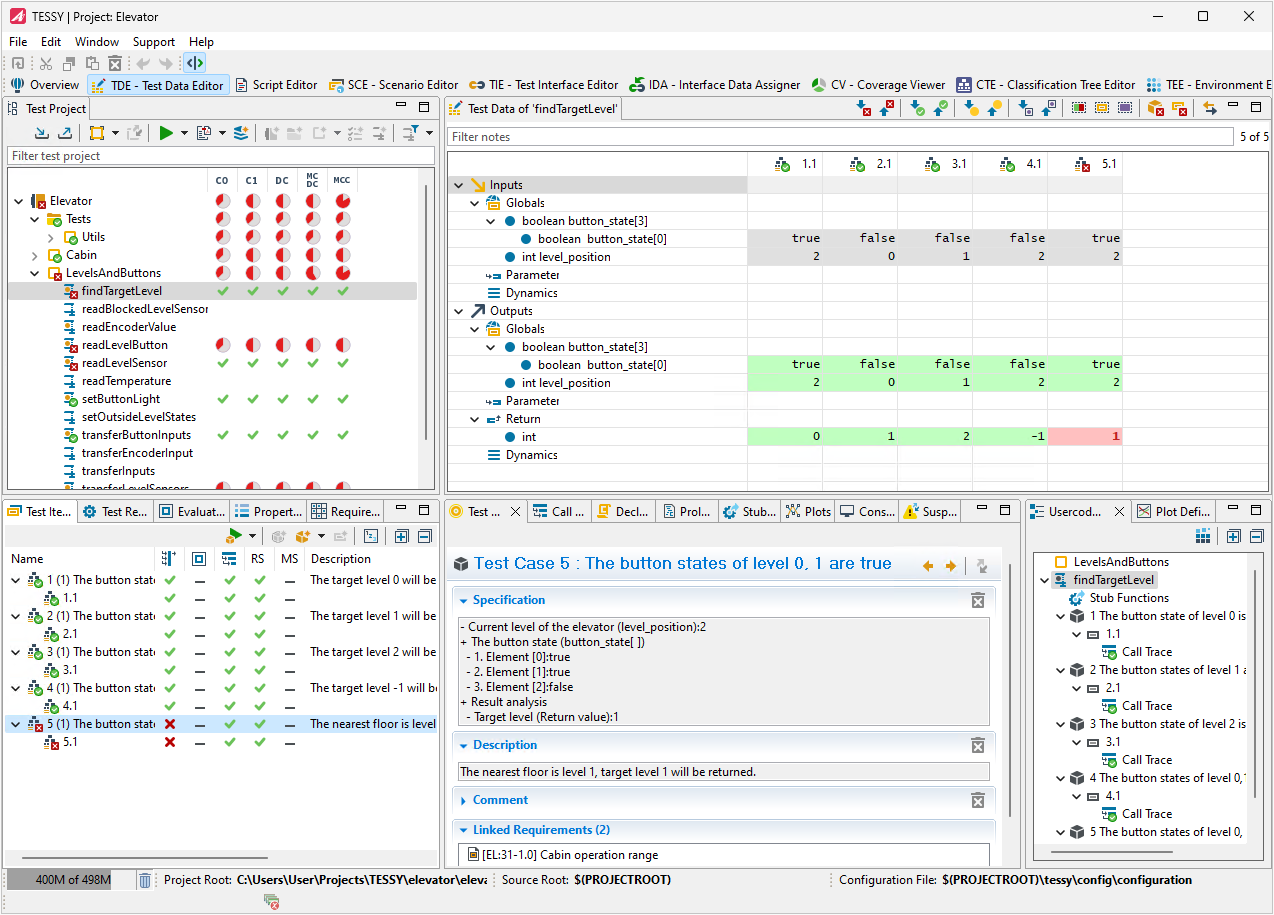
Colored values within the TDE which correspond to the state of the test results, the visualization of test results within plots, and the Coverage Viewer (CV) with the function flow and details about the coverage help to analyze the test results.
Analyzing code coverage
To determine what proportion of your project's code is actually being tested by unit tests or integration tests, you can use the code coverage feature of TESSY. There are different kinds of coverage measurements which are provided in TESSY:
- Statement Coverage (C0)
- Branch Coverage (C1)
- Decision Coverage (DC)
- Modified Condition / Decision Coverage (MC/DC)
- Multiple Condition Coverage (MCC)
- Entry Point Coverage (EPC)
- Function Coverage (FC)
- Call Pair Coverage (CPC)
Code coverage can optionally be enabled when running tests, which causes TESSY to automatically instrument the source code for the selected coverage measurements. The Coverage Viewer shows the percentage of the code that was run in the test. In addition, the flow chart view and the colored source code view shows you graphically which code has been tested. To effectively prevent bugs, the tests should achieve the highest possible test coverage of the project code.
Call Pair Coverage
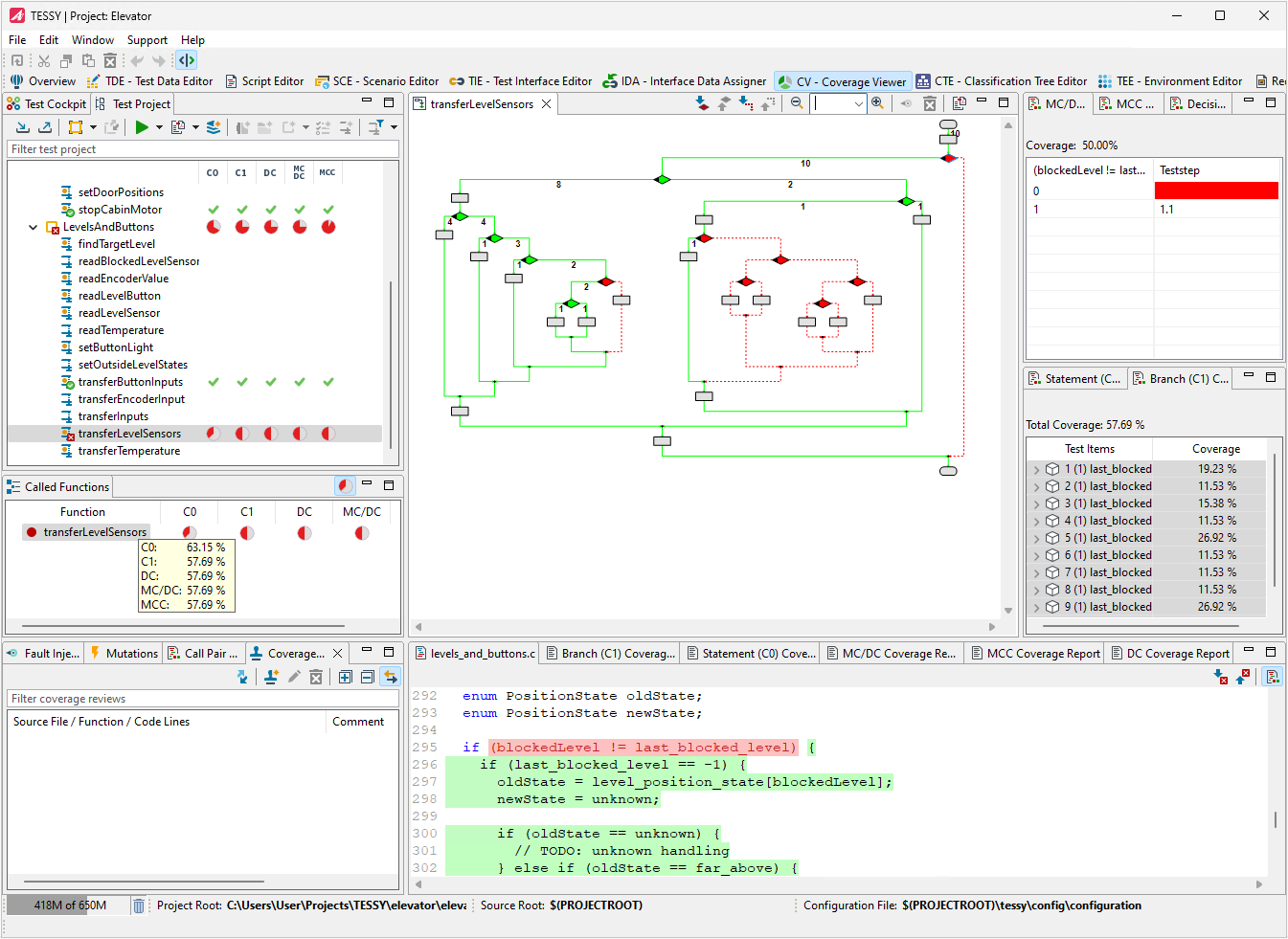
An important feature in TESSY is the Call Pair Coverage (CPC) measurement, which checks whether all call points of functions or methods within the test object have been executed at least once. This meets the requirements of ISO 26262 for safety-relevant software development as an alternative code coverage procedure for integration tests instead of function coverage (FC) measurement.
Hyper Coverage
The Hyper Coverage (HP) provides a way to easily reveal code parts not being tested by any of the existing tests by investigating the current weaknesses of code coverage. And the best part is: This works without any additional efforts for the tester. The key of this feature is the automated detection of hidden code within the source files and the accumulation of standard code coverage measurements into the Hyper Coverage. As a side effect of the implementation of this novel capability, the need for retesting due to minor software adjustments can also be streamlined. This ensures that solely the impacted components necessitate reevaluation.
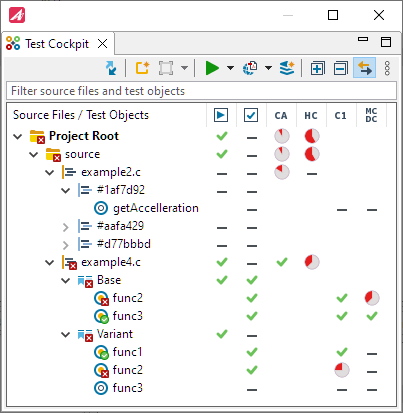
The Code Access Analysis is already availabe after creation and analysis of modules. Testers have a quick overview after test set up if there are any untested parts of the source code.
The Test Cockpit view summarizes all results and coverages for all test objects within the source files.
The following videos explain the Code Access and Hyper Coverage features as the most innovative TESSY features in
depth:
Code Access Feature in TESSY
Hyper Coverage Feature in TESSY
Hyper Coverage with Variants Feature in TESSY
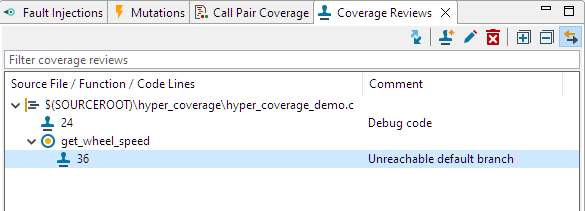
Coverage Review
Source code lines can be marked with predefined as well arbitrary comments. This ensures a better documentation of
unreached code lines found by Code Access (CA) an Hyper Coverage (HC).
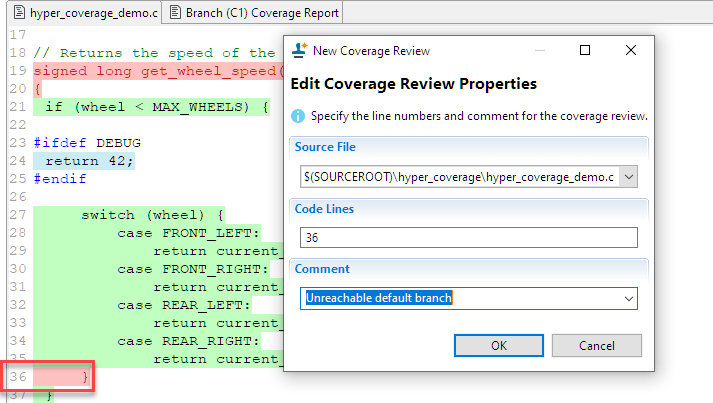
Using this feature provides the possibility to reach full coverage as reviewed source code lines will be considered in the Code Access (CA) and Hyper Coverage (HC) measurement.
The Coverage Review view lists the reviews for each source file. All coverage reviews will be documented within the test summary report.
Test your Components
Define scenarios in the Scenario Editor (SCE) and test components. All variables of the component interface may be set and checked at arbitrary points in time within the scenario.
Report the test plan and the test results
TESSY offers different types of automatically created and well-designed test reports in PDF. These reports summarize the test execution coverage and test summary of the current test project status, initially as an overview and finally regarding the test details. This way, you can create reports that e.g. map your requirements, the V&V matrix and the test planning coverage (=planned requirements coverage).

Download TESSY

TESSY is qualified for safety-related software development according to
IEC 61508, IEC 62304, ISO 26262 and EN 50128. View Certification Report
Services & Support
Evaluation Software
NEWSLETTER & Training
© 2026 Carnica Technology. All Rights Reserved. Contact Us · Legal & Privacy